Install EconoFlip Deal Analyzer
Add the free Chrome extension, then browse a supported retailer — deals get analyzed right on the page.
Add EconoFlip to Chrome
One click from the Chrome Web Store. It updates automatically — nothing else to manage.
Available now for Chrome and Chrome-based browsers.
This feature requires a computer. Chrome extensions can't be installed on a phone — open this page on your computer to continue.
Open Chrome Web StoreFree during beta. Paid tiers later this year, with fair notice.
Pin it to your toolbar
Click the puzzle icon in Chrome's toolbar, then the pin next to EconoFlip Deal Analyzer, so the popup is one click away.
What happens next
- Sign in and connect the extension from its popup.
- Open a supported retailer's deals page.
- Watch the bars appear — saved deals land in your captures.
After installing, the welcome page opens automatically with your next step.
How EconoFlip works
No more scanning barcodes in the aisle. See what's worth flipping before you leave home.
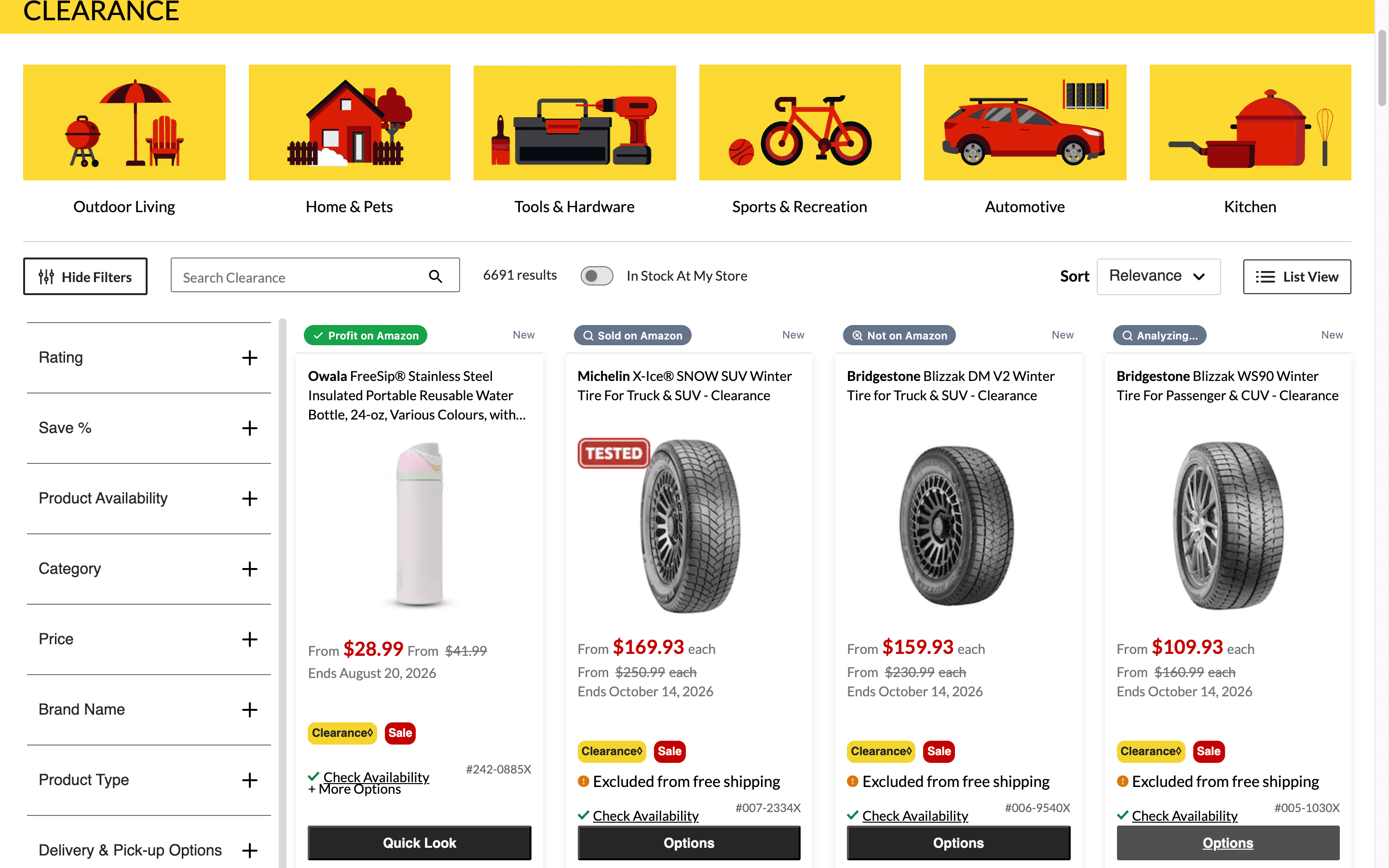
Browse deals like you always do
Open a supported retailer's deals page. EconoFlip checks every product against Amazon as you scroll.
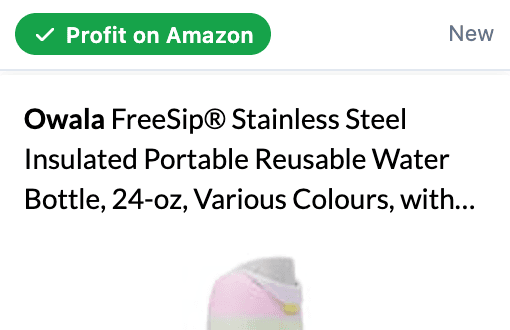
1 Amazon result · 2 First seen
Spot the profit as results come in
Each product card gets a live bar: what it sells for on Amazon, and when the deal first appeared.
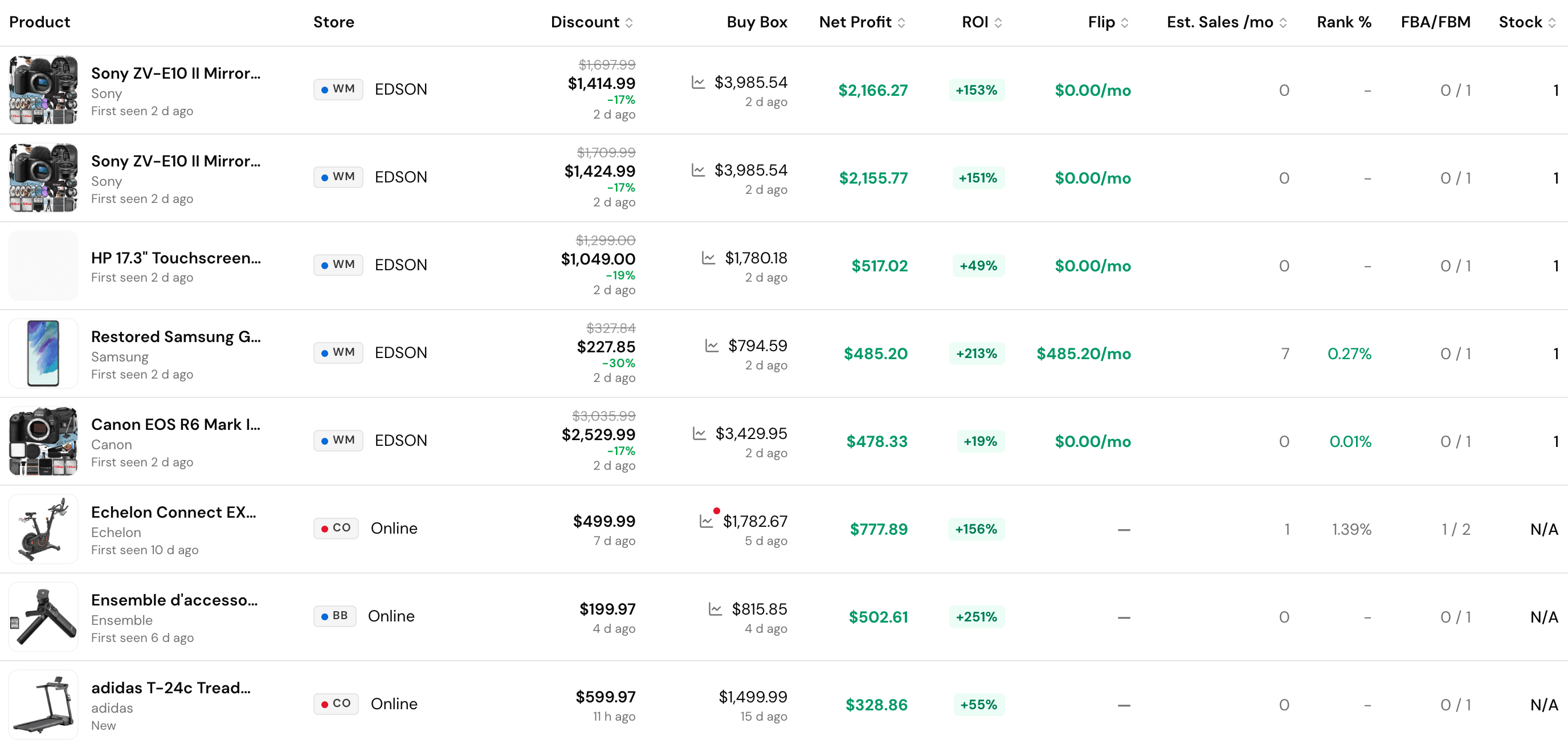
Saved deals land in your captures
Your captures page shows the Amazon match and net profit after fees and taxes for every saved deal.
What the bar means
- Analyzing…EconoFlip is checking this product against Amazon.
- Profit on AmazonMatched on Amazon with resale profit after fees — click it to see your captures.
- Sold on AmazonMatched on Amazon, but no profit at today's prices.
- Found on AmazonMatched on Amazon, but current price or fee data is unavailable, so profit cannot be calculated.
- Not on AmazonNo confident Amazon match for this product.
- Set your provinceAdd your province in settings so profit can include taxes.